

Selling items on Roblox is one of the most straightforward ways to earn Robux without spending real money. To do it, you need a Roblox Premium membership, and the items you list must be eligible for resale on the Roblox Marketplace.Regenerate section
Key Takeaways
- Only Roblox Premium members can sell items on the Marketplace.
- Not every item qualifies for resale. Limited items and certain UGC items are the main ones you can sell.
- Roblox takes a 30% cut of every sale, so plan your prices with that in mind.
- User-Generated Content (UGC) creators have the most options for selling custom items.
- The more rare or in-demand your item, the higher the price you can set.
- You get paid in Robux, which you can later convert to real dollars through the DevEx program.
Why Selling on Roblox Is Worth Understanding
Roblox is not just a place to play games. It is a platform where real economic activity happens every single day. According to Roblox’s investor data, millions of users actively buy and sell items, and the platform paid out over $741 million to developers and creators in 2023 alone.
For kids and teens especially, learning how to sell items on Roblox for Robux is a practical introduction to concepts like pricing, supply and demand, and digital ownership. Even if you are not trying to get rich, earning a few hundred Robux from a well-timed item flip can feel really satisfying.
Here is why it matters to understand the rules before you start:
- Roblox has strict policies about what can and cannot be sold.
- Selling the wrong way or trying to trade outside the platform violates the Roblox Terms of Service and can get your account banned.
- Knowing the system helps you make smarter decisions about which items to buy and hold.
What You Actually Need Before You Can Sell Anything
Before you list a single item, you need to check off a few requirements. Skipping this step is the most common mistake new sellers make.
Roblox Premium Membership
A free Roblox account cannot sell items. You need an active Roblox Premium membership, which costs $4.99, $9.99, or $19.99 per month depending on the tier. Each tier also gives you a monthly Robux stipend, which is a nice bonus.
The Right Kind of Item
Not all items can be resold. Here is a quick breakdown of what falls into each category:
| Item Type | Can You Sell It? | Notes |
|---|---|---|
| Limited Items | Yes | Must own the item and have Premium |
| Limited U Items | Yes | Same rules as Limited |
| UGC Items (your own) | Yes | Must be approved as a UGC creator |
| Standard Catalog Items | No | Not resellable by regular users |
| Game passes you made | Yes | Listed inside your game |
| Developer products | Yes | Listed inside your game |
Being Old Enough
Roblox requires users to be at least 13 years old to access certain marketplace features. If your account is set to under-13 mode, some selling options may be restricted. A parent or guardian can help update account settings if needed.

How to Sell Limited Items Step by Step
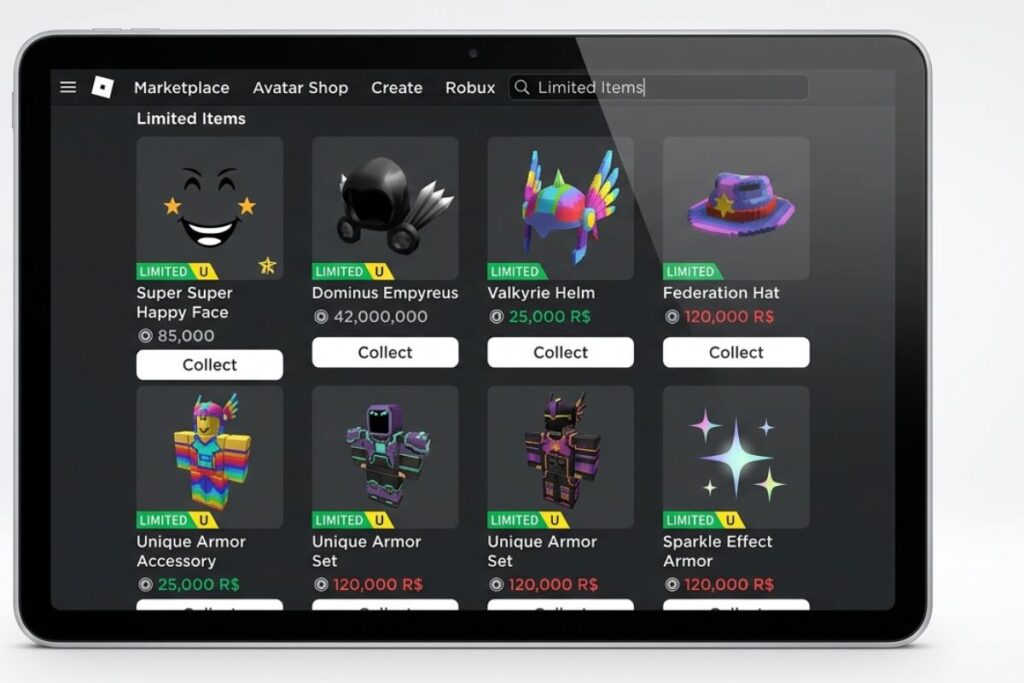
Limited and Limited U items are special catalog pieces that Roblox no longer sells directly. Because the supply is fixed, they often go up in value over time. This is where most beginners start when they want to learn how to sell items on Roblox for Robux.
Here is how the process works:
- Check your inventory. Go to your profile, click “Inventory,” and look for items tagged with the Limited or Limited U label.
- Click the item you want to sell. Open the item detail page from your inventory.
- Click “Sell.” You will only see this button if you have Premium and the item is eligible.
- Set your price. You can set it above, at, or below the current lowest price. Lower prices sell faster, but you earn less.
- Confirm the listing. Once listed, your item shows up in the Roblox catalog for anyone to buy.
- Wait for a sale. When someone buys it, the Robux go straight to your account, minus the 30% fee Roblox keeps.
A quick example: if you sell a Limited hat for 1,000 Robux, Roblox takes 300 Robux as a fee. You keep 700 Robux.
How UGC Creators Can Sell Custom Items
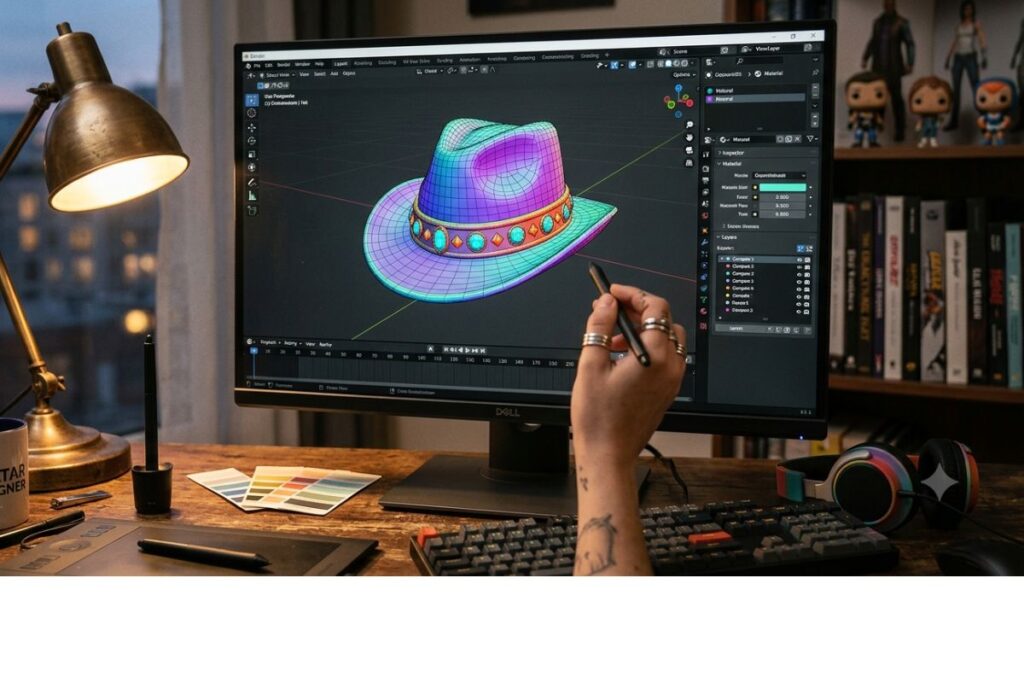
User-Generated Content (UGC) creators have a bigger opportunity. If you get accepted into the Roblox UGC program, you can design and upload your own accessories, hats, and avatar items, then list them for sale in the catalog.
This is a more advanced path, but here is the basic flow:
- Apply for UGC access through the Roblox Creator program. Acceptance is not guaranteed and requires showing your design skills.
- Create your item using Blender or a similar 3D modeling tool. Roblox has specific technical requirements for file size, polygon count, and texture.
- Upload and configure the item in Roblox Studio, setting a price and category.
- Submit for moderation. Roblox reviews all UGC items before they go live.
- Earn Robux every time someone buys your item.
The Roblox Creator documentation covers the full technical specs if you want to go this route. It takes time and practice, but successful UGC creators can earn thousands of Robux per month from popular items.
Selling Game Passes and Developer Products
If you have ever built a game on Roblox, you already have another way to earn Robux: selling game passes and developer products.
Game passes are one-time purchases players can make in your game. Examples include:
- VIP access that gives extra perks
- Double XP boosts
- Exclusive in-game items or areas
Developer products are things players can buy more than once, like coins, extra lives, or in-game currency packs.
Both options are set up through Roblox Studio, which is free to download. You do not need a Premium membership to create and sell these, though Premium helps with other selling features.
The same 30% platform fee applies here too.
Pricing Your Items Smartly
One of the biggest mistakes new sellers make is pricing without looking at the market first. Here are some tips to help you set better prices:
- Check the lowest current price. The Roblox catalog shows you the cheapest active listing for any item. You need to be competitive.
- Look at price history. Some third-party sites like Rolimons track the value trends of Limited items over time.
- Think about demand. Is this item from a popular event or collaboration? Items tied to big moments in Roblox history tend to hold value better.
- Do not panic sell. If the price of an item drops suddenly, wait a little before listing. Prices often recover.
- Price game passes based on value. If your VIP pass gives real advantages in your game, players will pay more for it.
Things to Know
- Roblox takes a 30% cut on all Marketplace sales, no exceptions. Always factor this in when setting your price.
- You cannot sell items directly to another player outside of the official Marketplace. Any trade that happens off-platform is against Roblox rules and is a common scam tactic.
- Limited item prices fluctuate a lot. An item worth 500 Robux today could be worth 2,000 in a month, or 100 Robux. Do your research.
- Roblox Premium must stay active for your listings to remain live. If you cancel Premium, your sell listings may be removed.
- The DevEx program lets you convert Robux to real USD, but it requires earning at least 30,000 Robux and being verified as a creator. According to Roblox’s DevEx page, the current rate is roughly 350 Robux per $1.
- Scammers sometimes try to trick players into “trading” outside the platform. Never share your login details or make deals through Discord, text, or any outside app.
Frequently Asked Questions
Q: Do you need Roblox Premium to sell items?
Yes, you need an active Roblox Premium membership to sell Limited items on the Marketplace.
Premium membership costs between $4.99 and $19.99 per month. Without it, the “Sell” button will not appear on eligible items. You can still sell game passes and developer products inside your own games without Premium, though.
Q: How much does Roblox take from each sale?
Roblox keeps 30% of every sale made through the Marketplace.
So if you sell an item for 1,000 Robux, you receive 700 Robux. This applies to Limited items, UGC items, game passes, and developer products equally. Always do the math before you set a price.
Q: Can you sell items on Roblox without being a UGC creator?
Yes, you can sell Limited and Limited U items without being a UGC creator.
UGC creator status is only required if you want to design and upload brand-new items to the catalog. If you already own Limited items in your inventory, you just need Premium to list them for sale.
Q: Is it safe to trade Roblox items outside the platform?
No. Trading or selling outside the official Roblox Marketplace violates Roblox’s Terms of Service and puts your account and Robux at serious risk.
Many off-platform trades are scams where players lose their items without receiving anything in return. Always use official Roblox systems for buying, selling, and trading.
Q: How do you turn Robux into real money?
You can convert Robux to USD through the DevEx (Developer Exchange) program, but it is only available to eligible Roblox creators.
The minimum threshold is 30,000 Robux, and you must be at least 13 years old with a verified account. The current exchange rate is approximately 350 Robux per $1. This option is mainly designed for game developers and UGC creators, not casual sellers.
The Bottom Line on How to Sell Items on Roblox for Robux
Learning how to sell items on Roblox for Robux comes down to three things: having the right account setup, owning the right kind of items, and pricing smartly based on the market. Whether you are flipping Limiteds, building games with paid passes, or working toward UGC creator status, the platform gives you real options to earn.
Start small. Check your inventory for any Limited items you already own, grab a Premium membership if you do not have one, and make your first listing. The more you practice reading the market and adjusting your prices, the better you will get at turning your Roblox activity into actual Robux.