

Got a Roblox gift card and not sure what to do with it? You can redeem it directly on the Roblox website in just a few clicks, and the Robux or credit will show up in your account almost instantly. Whether you got one as a birthday gift or picked one up at Target or Walmart, this article walks you through the whole process so you can get to spending right away.Regenerate section
Key Takeaways
- You can redeem Roblox gift cards on PC, mobile, or through the Xbox console.
- All redemptions go through the official Roblox website, even if you play on mobile or Xbox.
- Gift cards either add Robux directly or add credit to your Roblox account balance, depending on the card type.
- Scratching the PIN too hard can damage the code, so always scratch carefully before you start.
- You must be logged into the correct Roblox account before you redeem, because transfers are not possible after the fact.
- Free gift card generator sites are scams. Never enter your code anywhere except the official Roblox site.
What a Roblox Gift Card Actually Gives You
Before you jump into the steps, it helps to know what you are actually getting. Roblox gift cards come in two main types:
1. Robux Cards: These add a set amount of Robux directly to your account. Common values include $10 (800 Robux), $25 (2,000 Robux), and $50 (4,500 Robux).
2. Roblox Credit Cards: These load a dollar amount onto your Roblox account balance, which you can then use to buy Robux, a Premium membership, or items in the Avatar Shop.
You can find both types at physical stores like Target, Walmart, GameStop, and CVS, as well as online through Amazon and the official Roblox gift card page.
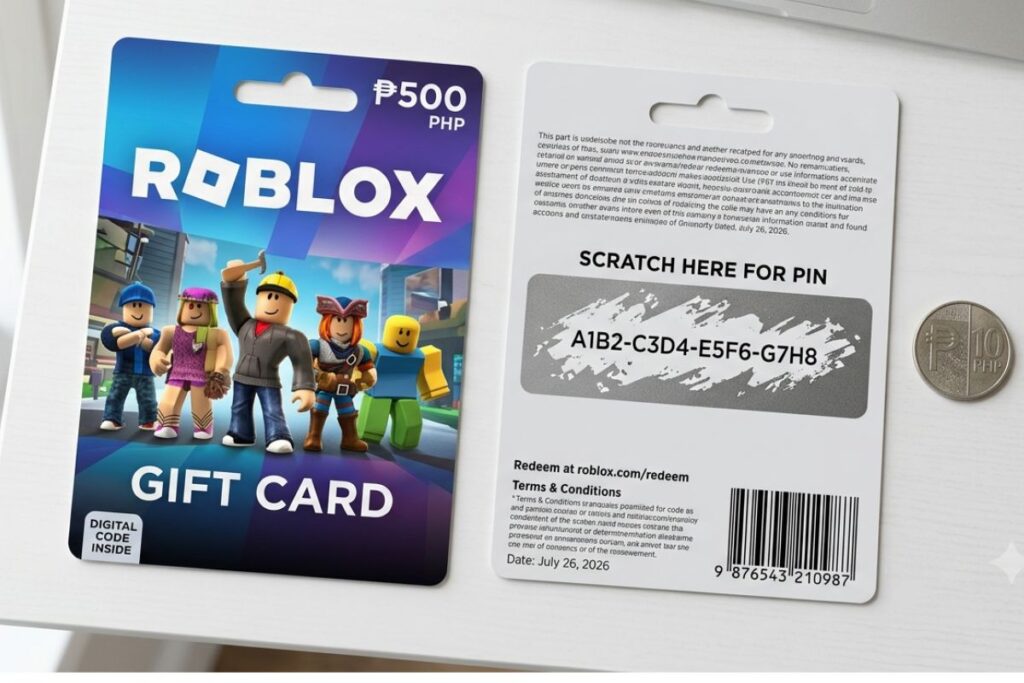
One thing a lot of people miss: physical cards have a PIN hidden under a scratch-off strip on the back. Digital cards (like ones sent by email) give you the code directly. Either way, the redemption process is the same.
How to Redeem a Roblox Gift Card Code on PC or Mac
This is the most common way, and it is the easiest. Here is exactly what to do:
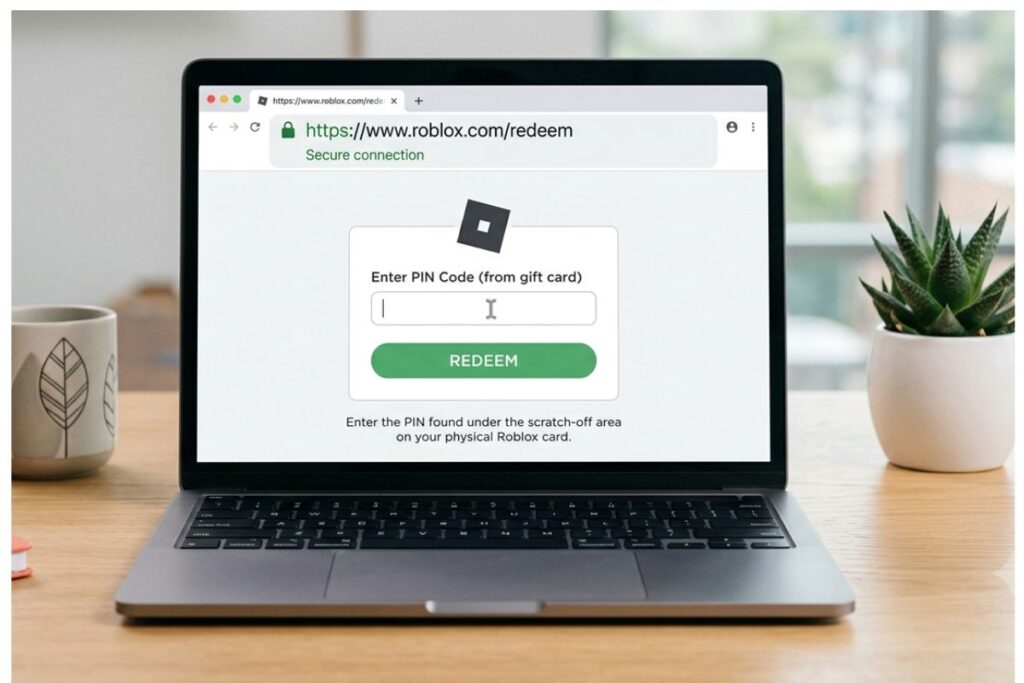
- Open your browser and go to roblox.com/redeem.
- Log into your Roblox account if you are not already signed in.
- Scratch off the silver strip on the back of your physical card to reveal the PIN.
- Type the PIN into the “Enter your Gift Card Pin” box. Be careful with letters that look similar, like “O” and “0” or “I” and “1”.
- Click the green “Redeem” button.
- If the code works, you will see a confirmation screen showing how much Robux or credit was added.
- You can also grab a free bonus virtual item that comes with most gift cards on that same page.
That is it. Your Robux or credit should appear in your account within a few minutes. If it does not show up right away, try refreshing the page or logging out and back in.
Common Mistakes to Avoid
- Typing the code into a search engine by accident instead of the Roblox site.
- Entering the card number (the long one on the front) instead of the PIN on the back.
- Trying to redeem a card that was already used. One code, one redemption. Once it is gone, it is gone.
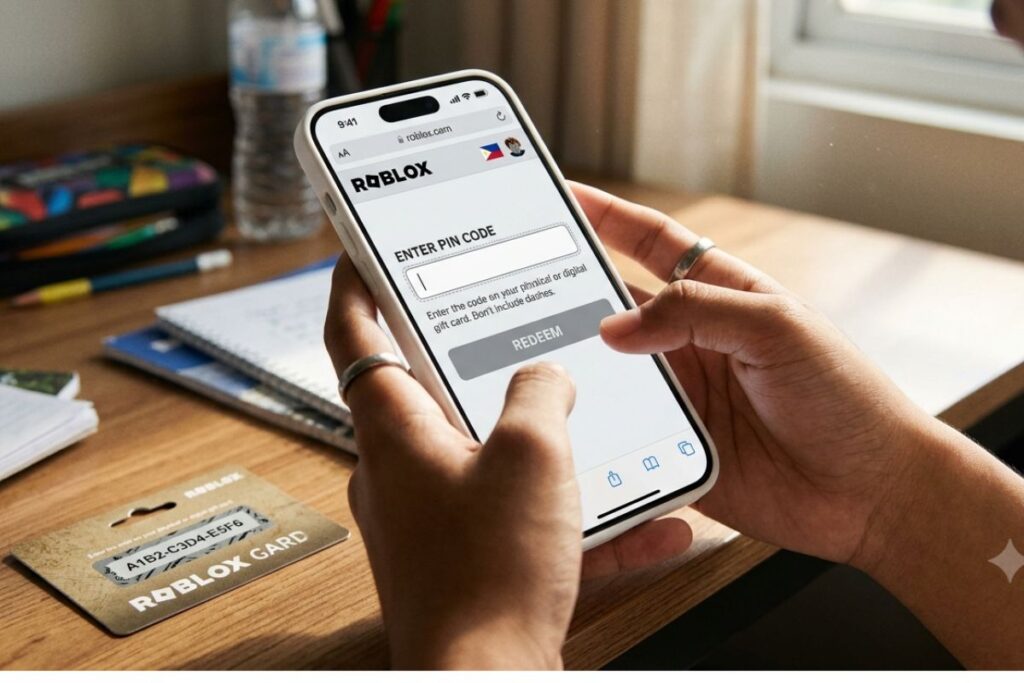
How to Redeem on Mobile (iPhone, iPad, or Android)
A lot of players use the Roblox app on their phones or tablets, which is totally fine. But here is the thing: you cannot redeem a gift card inside the app itself. You have to use a browser.
Here is how to do it on mobile:
- Open Safari (on iPhone/iPad) or Chrome (on Android).
- Go to roblox.com/redeem. Make sure you are on the actual website, not the app.
- Log in to your account.
- Enter your PIN and tap “Redeem.”
- The balance or Robux will be added to your account, and you can then open the Roblox app to use it.
Some players get confused because the Roblox app does not have a gift card section. That is normal. The website and the app share the same account, so anything you redeem in the browser shows up when you open the app.
How to Redeem on Xbox
If you play Roblox on Xbox, you still need to go to the Roblox website on a computer or phone to redeem your code. The Xbox version of Roblox does not have a built-in gift card redemption feature.
Once you redeem the card on the website using the same account you play on Xbox, your Robux will be available the next time you log in on your console. Just make sure you are logged into the right Microsoft/Roblox account before you redeem.
Note: Xbox gift cards and Roblox gift cards are totally different things. An Xbox gift card adds Microsoft Store credit, not Robux. Always check the card packaging before you redeem.
What to Do If Your Code Is Not Working
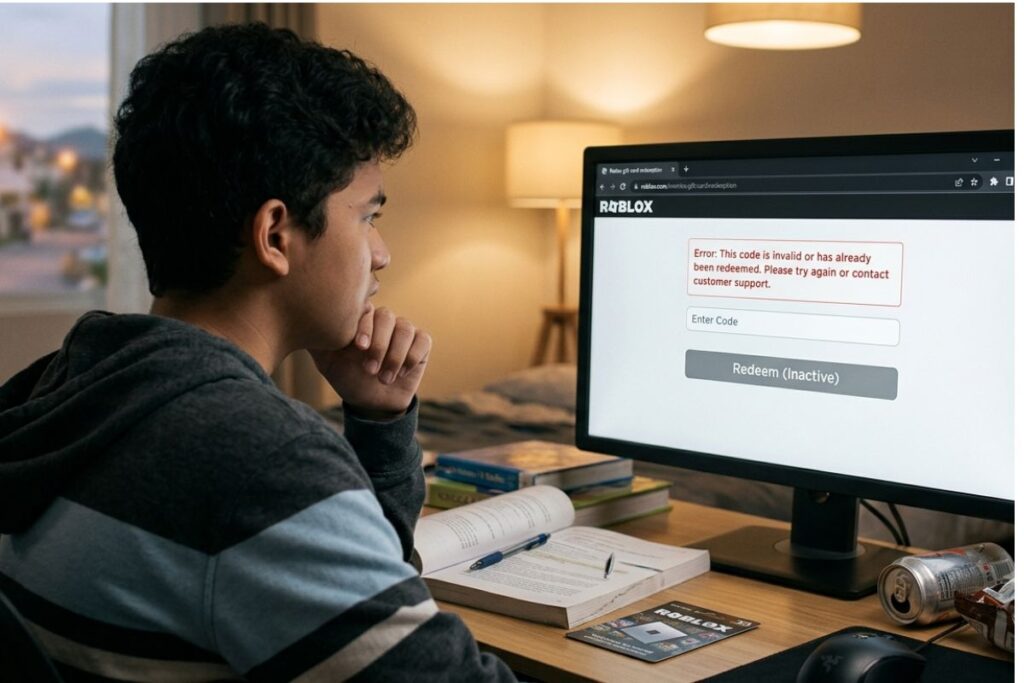
This happens more often than you would think, and most of the time it is one of a few easy-to-fix problems.
| Problem | Likely Cause | What to Try |
|---|---|---|
| “Invalid PIN” error | Typo in the code | Re-enter carefully, double-check each character |
| “Already redeemed” message | Code was already used | Check with whoever gave you the card |
| Code is scratched off or damaged | Scratch-off went too deep | Contact Roblox Support with proof of purchase |
| Robux not showing up | Short server delay | Wait 5-10 minutes and refresh |
| Site says “This offer is expired” | Old or region-locked card | Contact Roblox Support |
If you run into a problem you cannot fix yourself, the best place to go is the Roblox Support page. You can submit a ticket with your purchase receipt and card details, and they can usually look up the code on their end.
Things to Know
- One account only: Once a code is redeemed, it is tied to that account forever. You cannot move Robux or credit to a different account.
- No expiration dates on most cards: Roblox gift cards generally do not expire, but it is still smart to redeem them soon after you get them.
- Roblox Premium is separate: If you want a monthly Robux subscription, you set that up through your account settings, not through a gift card. Some credit cards can be used toward Premium, but it is not automatic.
- Gift cards are not refundable: Once you buy one (or someone buys one for you), Roblox does not offer refunds on gift cards. Treat them like cash.
- Bonus items are real: Most Roblox gift cards come with a free exclusive virtual item. You grab it on the same redemption page after entering your PIN. Do not skip this step.
- Keep your receipt: If anything goes wrong, your store receipt is your best proof of purchase when contacting support.
Staying Safe When Redeeming Gift Cards
This is important, especially for younger players. There are a lot of fake websites and scam accounts on social media that claim they can give you free Robux if you enter your gift card code. These are all scams, no exceptions.
The Federal Trade Commission (FTC) has put out clear warnings about gift card scams, which have become one of the most common ways people lose money online. The pattern is always the same: someone promises something for free in exchange for a code, and then disappears after you hand it over.
Here are the rules to follow:
- Only enter your code at roblox.com/redeem. That is the only real place.
- Never share your PIN with anyone, including people who claim to be Roblox employees.
- Roblox will never ask for your gift card code in a message, email, or Discord DM.
- If a YouTube video, TikTok, or random website is offering to “double your Robux,” it is a scam.
For more on how to keep your Roblox account secure overall, the Roblox Safety page has solid tips written in plain language that are easy for younger players to follow.
You might also want to check out guidance from Common Sense Media on online scams for kids, which covers how to spot tricks before they get you.
Using Your Robux After You Redeem
Once your Robux or credit is in your account, the fun part starts. Here is what you can do with it:
- Buy items in the Avatar Shop: Clothes, accessories, gear, and limited edition items you can use to customize your character.
- Access paid games or game passes: Some Roblox experiences have VIP passes, extra lives, or special powers you can unlock with Robux.
- Get Roblox Premium: A monthly subscription that gives you a Robux allowance every month plus member-only perks. You can read about the current Premium tiers on the Roblox Premium page.
- Trade and collect: If you have Premium, you can trade limited items with other players, which is a big deal in the Roblox community.
According to data shared by Roblox Corporation, the platform has over 80 million daily active users, meaning there is a huge, active economy of items and experiences your Robux can get you access to.
Frequently Asked Questions
Q: Can I redeem a Roblox gift card without a Roblox account?
No, you need a Roblox account to redeem a gift card.
You have to be logged in before the code will work. If you do not have an account yet, creating one is free and only takes a few minutes at roblox.com. Once your account is set up, head back to the redemption page and enter your code.
Q: Can I use a Roblox gift card to buy Roblox Premium?
Yes, if the card adds account credit (not Robux directly), you can use that credit toward a Premium subscription.
Go to the Premium membership page after redeeming and choose your plan. The credit will be applied automatically at checkout. If the card gave you Robux directly instead of credit, you cannot use those Robux to pay for Premium.
Q: What happens if I redeem a gift card on the wrong account?
Unfortunately, Roblox cannot transfer Robux or credit between accounts after a code has been redeemed.
Always double-check that you are logged into the right account before you hit that redeem button. If you made a mistake, you can contact Roblox Support, but they are not guaranteed to be able to fix it.
Q: How long does it take for Robux to show up after I redeem?
Most of the time, Robux appears in your account within seconds to a few minutes.
If it has been longer than 10 minutes and you still do not see it, try logging out and back in. If the issue continues, reach out to Roblox Support with your redemption confirmation details.
Q: Can I redeem a US Roblox gift card if I live in another country?
Roblox gift cards are region-specific, so a US card is designed to be redeemed on a US account.
If you are using an account set to a different country, you may run into issues. It is best to match the card region to the account region whenever possible. If you bought a US card and are having trouble, Roblox Support can sometimes help.
The Bottom Line on How to Redeem a Roblox Gift Card Code
Knowing how to redeem a Roblox gift card code is genuinely simple once you know where to go. The whole process takes about two minutes: scratch the PIN, head to roblox.com/redeem, log in, type in the code, and you are done. Whether you are on a laptop, phone, or playing through Xbox, the website is always your starting point.
The most important things to remember are to log into the right account before you start and to only use the official Roblox website. Avoid any site or person asking for your code in exchange for “free” stuff. Your next step: grab your card, head to roblox.com/redeem, and start spending.